Category: Uncategorized

  • Bringing in my VHF/UHF antenna into the home.

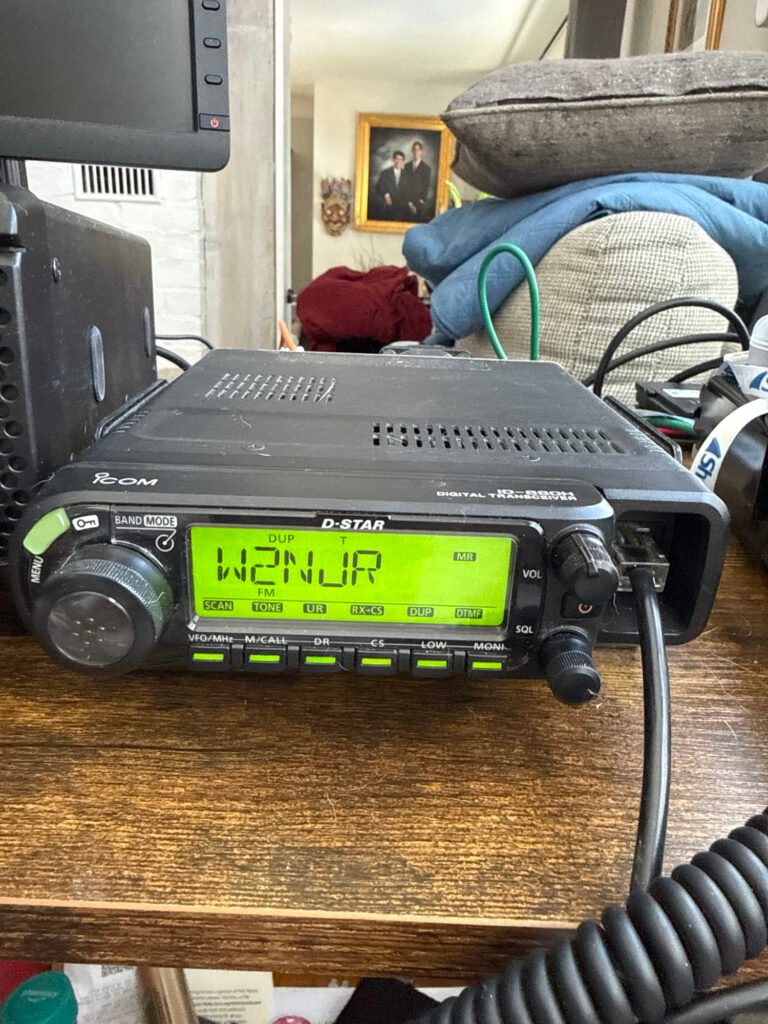
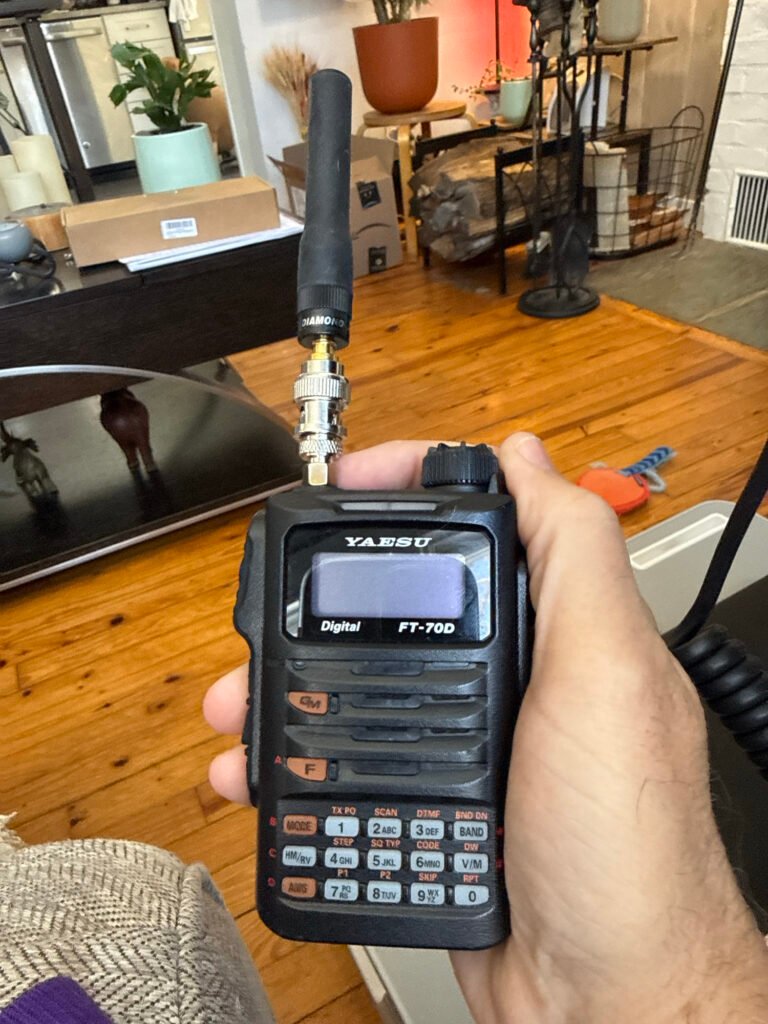
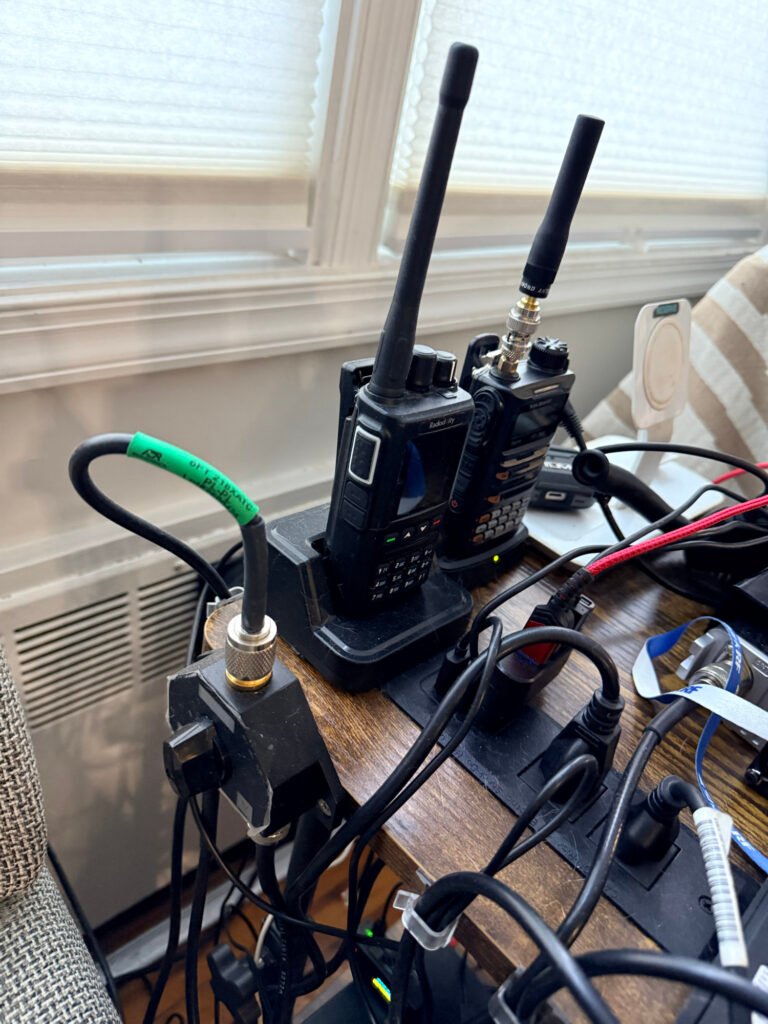
    Before I got my mobile Icom ID-880H, I used my Yaesu FT-70D for hamming.

    Icom ID-880H & Yaesu FT 70D

    I started on the airwaves with these, on VHF/UHF accessing repeaters and talking to hams all over the state and far beyond at times. Having a Tech license this was my best option. Even as I advanced in licensing, this mode of communication remains as one of my favorites and most used. From home to car, airwave access. Talking to other hams and participating in the nets is Lots of fun!

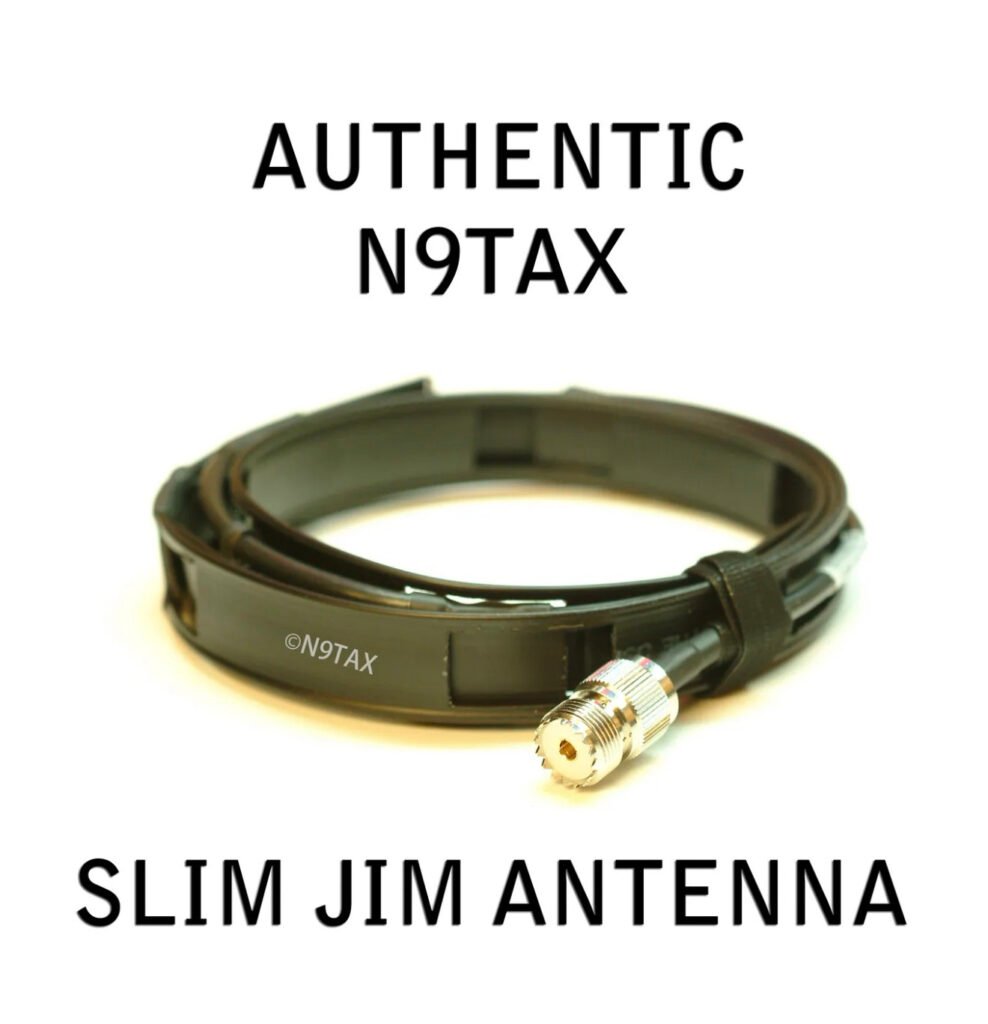
    Getting a better signal in my home was important. Here is how I did it. On a budget and it works great! I started with an inexpensive but excellent antenna,

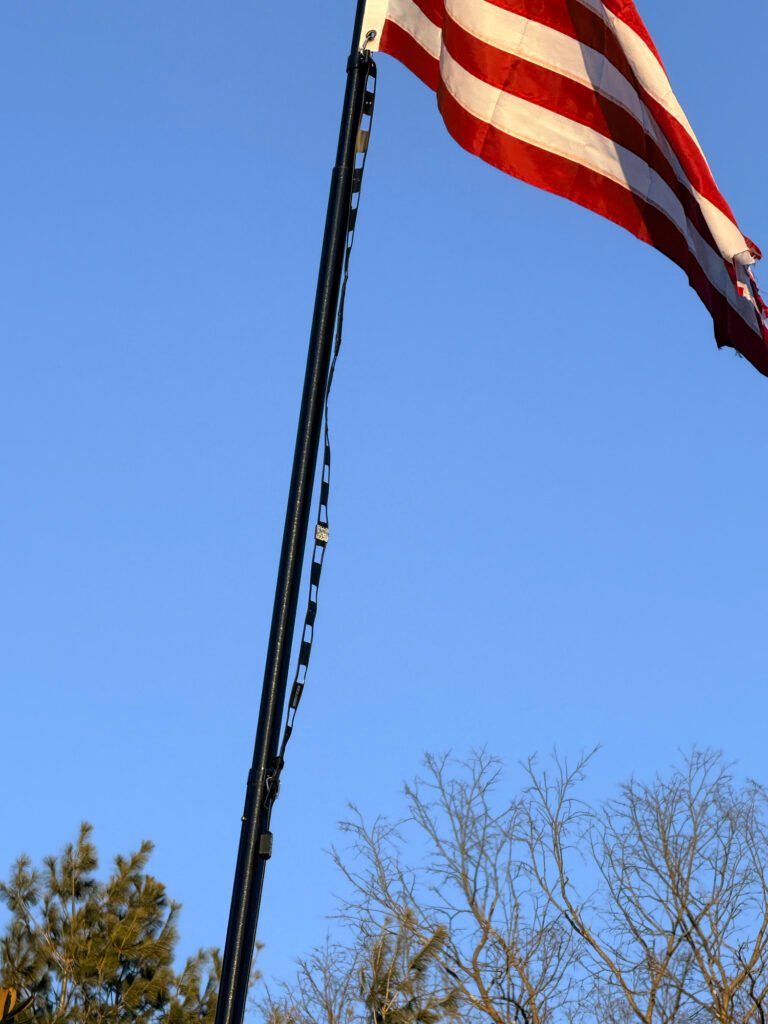
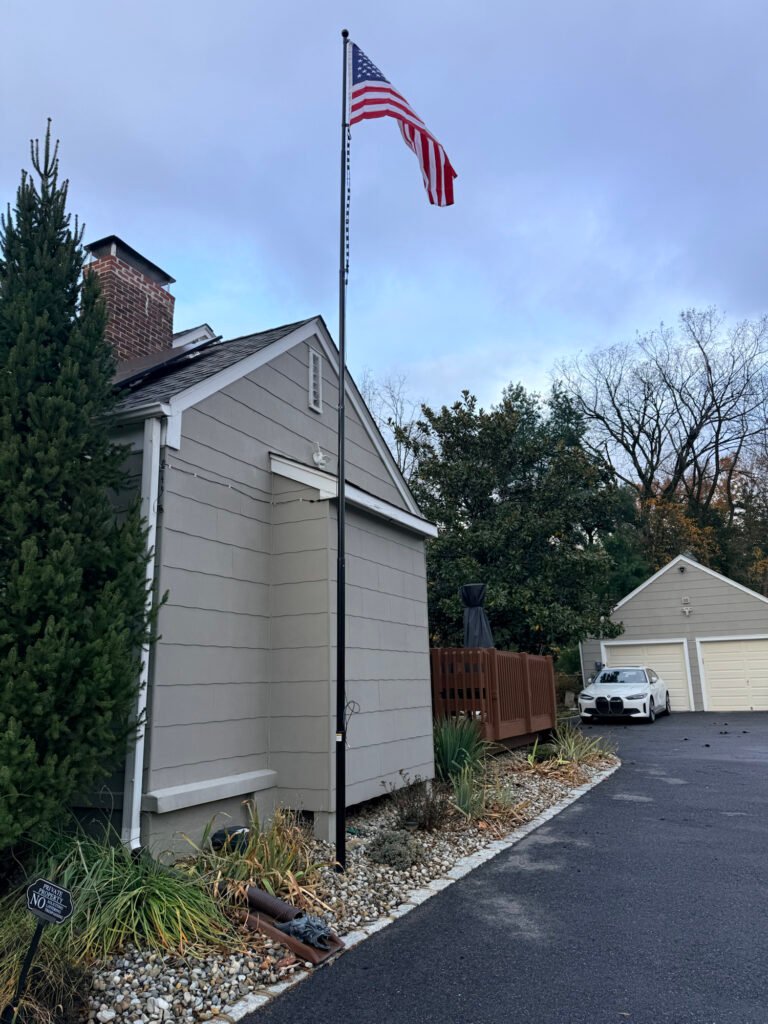
    Up on a flag pole it went, but you can place this hanging by a window, inside or outside. The higher the placement, with limited RF interference, the better the gain.

    This is my setup

    Got the flag pole from amazon,

    https://amzn.to/45Yc3Wy

    #ad

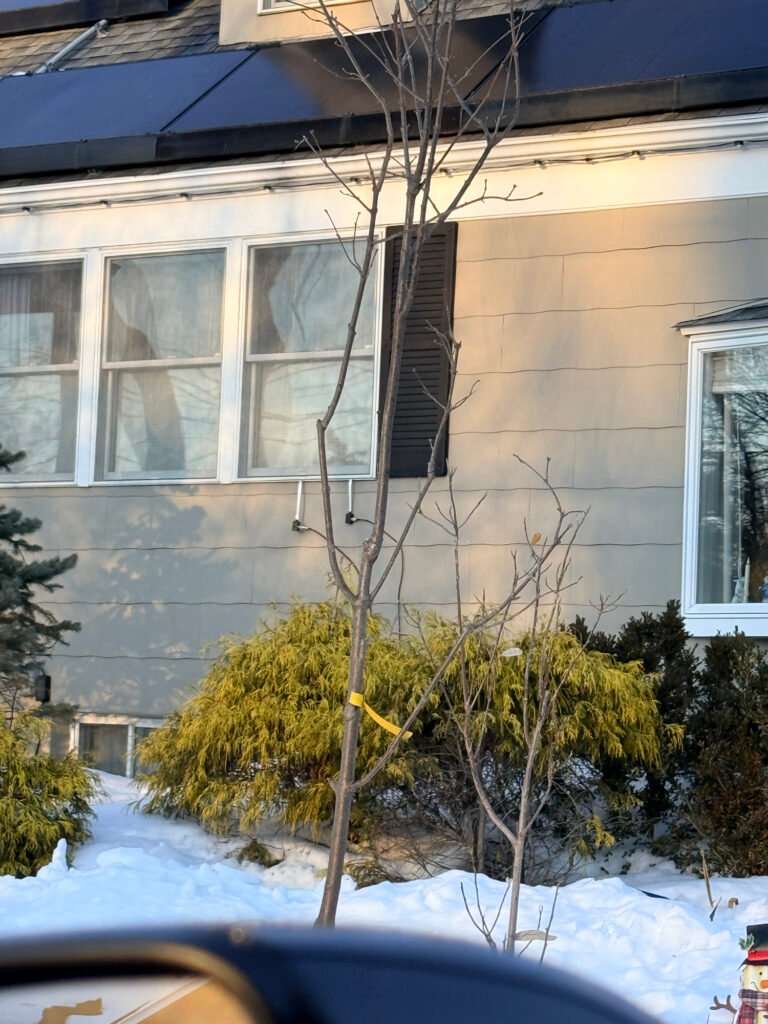
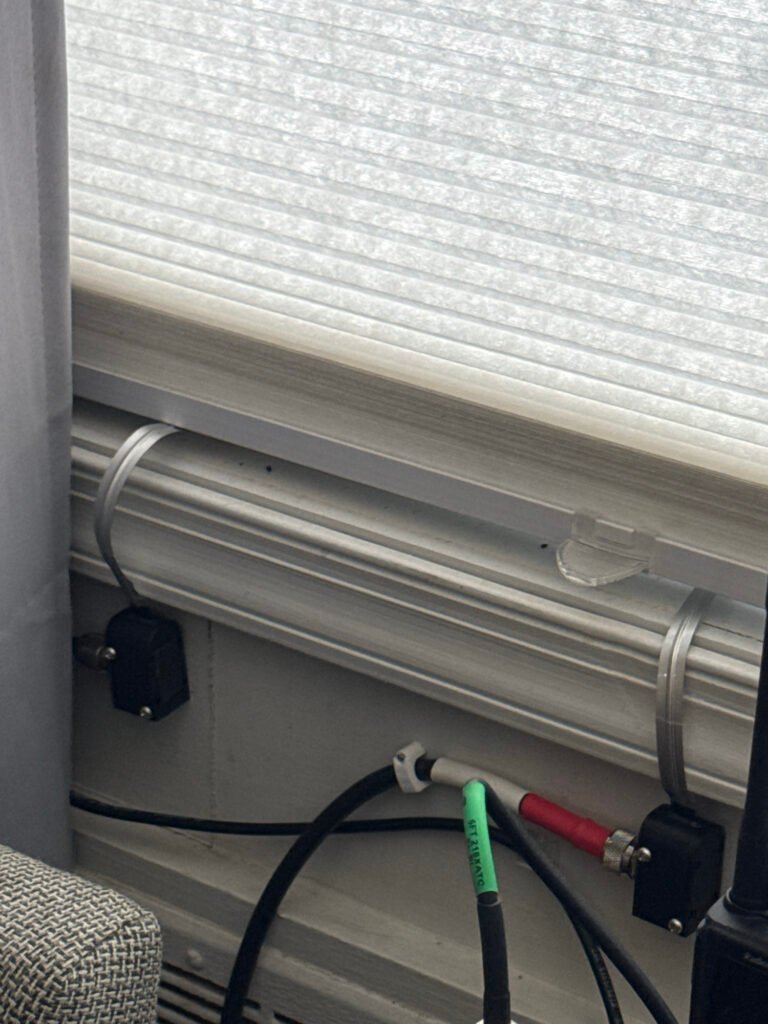
    This is a portable flagpole. I dug and filled a base with a wider steel pipe 3 ft in ground. The pole can be brought down. In a future blog I will write about the other two antennas at the top, a HF End Fed and a vertical. in the following pics you will see how the coax came into home through the window.

    Those connectors are from amazon.

    https://amzn.to/3O4tjDh

    One is HF, the other UHF/VHF

    They both come in to this

    From

    And got connected to the switch then radios
    The antenna switch is also from amazon

    https://amzn.to/4bIJsbw

    Next blogs will delve into my other projects, DMR, Meshcore, M1ke. Plus projects yet to start and on my trestleboard.

    The next blog will be on how I build and use this;

    Heltec V4 ESP32 LoRa 32 Development Board Meshtastic Kit with 3000mAh Battery Heltec V4 Case GT-800 Antenna ESP32-S3 SX1262

    27dBm OLED Display for Meshtastic WiFi loT Arduino Wireless

    Communication

    https://amzn.to/45ORhZq

    Come back often,

    73 for now

    NJ2RQ

  • How I turned my car into a mobile center (on a budget)

    One of the best things about getting my Amateur Technical license last year was finally feeling like I had a “seat at the table.” But as any ham will tell you, the license is just the ticket—the real learning happens when you key up during the daily grind.

    The Power of the W2NJR Linked System

    For those of you driving the NJ/NY corridors, the W2NJR linked system is a lifeline. Whether I’m heading into work or back home to Bridgewater, I can usually hit one of their many nodes.

    Operating a handheld device inside a car can be challenging because the metal frame acts as a shield. However, the W2NJR system is so robust that I can stay crystal clear even at low power. I usually stay on the 440 MHz (UHF) side because it handles the urban “concrete jungle” and highway travel exceptionally well.

    A Good Radio to Start With: https: Yaesu FT-70Dr

    Here on Ebay

    https://www.ebay.com/itm/112428933667?mkcid=1&mkrid=711-53200-19255-0&siteid=0&campid=5339141584&toolid=80005&mkevt=1

    #ad

    – A solid dual-bander is the perfect entry for Analogue and Digital.

    Why You Need a Dedicated Car Setup

    While the handheld is great, if you want to really “get out” there, a dedicated mobile setup is the way to go. Moving to a high-gain external antenna and a dedicated mobile rig allows you to:

    • Hear More, Talk Further: A roof-mounted antenna solves the signal loss caused by your car’s tinted windows and metal roof. Check this one out and accessories below,

    https://amzn.to/4bxbaru

    #ad

    • Handle Traffic Better: I often hear hams reporting accidents on 78 or the Parkway long before they show up on my GPS. It’s real-time intelligence from people actually on the road.

    The “Net” is Your Best Emergency Training

    I’ve made it a point to check into the evening nets. If you’re looking to be more than just a “hobbyist,” this is essential. Here’s why:

    • Emergency Preparedness: Nets are structured drills. Learning how to follow a Net Control Station (NCS) and pass traffic is exactly what we’ll need to do if cell towers go down during a major storm or emergency.

    • Sharing Knowledge: Have a question about a new antenna or an upcoming NJ hamfest? The guys on the W2NJR repeaters are a wealth of information.

    • The Masonic Connection: As a Freemason and member of Freemasons on the Air (FOTA), I appreciate the order and respect found in a well-run net. It’s a great way to meet brothers and fellow hams alike.

    Essential Commuter Accessories

    To make your mobile experience safer and more effective, I highly recommend these:

    1. Speaker Mic: Keep your eyes on the road while you talk. I highly recommend this mic. I purchased it with no regrets,

    https://amzn.to/4qhQXK4

    #ad

    2. Battery Eliminator: Handhelds are power-hungry on transmit. This keeps you at full power all the way home by plugging directly into your car’s power port. I got this one,

    https://amzn.to/4asO0S5

    #ad

    Final Thoughts

    Amateur radio is a skill that requires practice. By using my commute to work the repeaters and join the nets, I’m not just passing time—I’m staying prepared for whatever comes next.

    For car mobile antennas

    I have this Comet antenna it’s awesome, far reaching

    https://amzn.to/4bxbaru

    https://amzn.to/49Xw0PD

    https://amzn.to/4tiNY6E

    https://amzn.to/4klIXpZ

    https://amzn.to/4bCjDKa

    If you hear NJ2RQ on the air, please give me a shout!

    73,

    NJ2RQ

  • How to Get Your DMR ID: The Step-by-Step Guide

    Once you have your radio and your license, the very first “digital” task is securing your DMR ID. Think of this as your digital license plate. Without it, you can listen to the traffic, but you cannot transmit on the digital networks.

    The registration process is free, but it requires precision to avoid being rejected by the system. Here is how to do it right the first time.

    Phase 1: Obtain Your Official FCC License PDF

    RadioID.net (the central database) will not accept screenshots from QRZ or “Reference Copies” from the FCC website. You must provide the Official Copy that contains the FCC watermark.

    1. Log in to the FCC ULS License Manager using your FRN and password.

    2. Select “Download Electronic Authorizations” from the menu on the left.

    3. Choose your callsign and click “Add >” to move it to the download queue.

    4. Click “Download” and save the resulting PDF. This is the document you will upload later.

    Phase 2: Registering at RadioID.net

    This is the official clearinghouse for all amateur DMR IDs.

    1. Visit RadioID.net and navigate to Register > User Registration.

    2. Verify your Email: Enter your primary email address. You will receive a verification link immediately. You must click this link to continue the process.

    3. Submit Your Details: Fill in your name, address, and callsign exactly as they appear on your license.

    4. Upload the PDF: When prompted, upload the Official Copy PDF you downloaded from the FCC in Phase 1.

    5. The Wait: A team of volunteers manually verifies every application. It typically takes 24 to 48 hours to receive your 7-digit ID via email.

    Phase 3: Securing Your BrandMeister Account

    Once you have your 7-digit ID, you need to create a BrandMeister account. This is essential if you plan on using a hotspot.

    1. Register: Go to BrandMeister.network and create an account using your new DMR ID.

    2. Set Your Hotspot Security: Once logged in, go to “SelfCare.” You must create a Hotspot Security Password.

    3. Why this matters: This password acts as a “key” for your hotspot. Without it, your hotspot will not be allowed to connect to the BrandMeister servers.

    Pro-Tips for Success

    • One ID is Enough: You do not need a separate ID for every radio you own. Use the same 7-digit ID for your handheld, your mobile rig, and your hotspot.

    • Check Your Spam: Approval emails often get flagged as junk. If it’s been 48 hours, check your spam folder before re-applying.

    • The “Watermark” Rule: If your uploaded license says “Reference Copy” across the front, it will be rejected. Always use the “Download Electronic Authorizations” tool in the FCC portal.

  • What You Need to Get Started with DMR

    Getting on DMR is much easier than it first appears. You don’t need expensive equipment or deep technical knowledge—just a few basic pieces and a little initial setup. Once that’s done, DMR is as simple as turning a knob and pressing a button.

    1. A DMR-Capable Radio

    Not all radios support DMR, so the first requirement is a radio specifically designed for it. These come in:

    Handheld (HT) radios – great for beginners and portable use Mobile radios – higher power, ideal for vehicles or home use

    Many popular and affordable models are available, and most are capable of both DMR and analog FM, so you don’t lose any functionality by going digital.

    Here is a great starter radio on the budget:

    https://amzn.to/3M3wAlO

    https://amzn.to/3M3X1I0

    This is the one I purchased and will review in upcoming posts,

    The Radioddity GD-168

    2. A Free DMR ID

    Every DMR user has a unique DMR ID number, which acts like a digital callsign. This allows networks to identify who is talking and enables features like call routing and contact lists.

    It’s free You apply once It works worldwide

    Once assigned, your DMR ID is programmed into your radio and used automatically.

    The how to in the next post.

    3. Access to a DMR Repeater or Hotspot

    To talk beyond simple radio-to-radio range, you’ll need one of the following:

    DMR Repeater A local repeater connects you to nearby hams and to larger networks. Many areas already have excellent DMR coverage. Personal Hotspot (Optional) A hotspot is a small device that connects your radio to the internet through your home network or phone. It lets you use DMR from anywhere, even if no repeater is nearby.

    Beginners often start with repeaters and add a hotspot later.

    This link leads to a hotspot i just purchased and will be reviewing soon.

    https://amzn.to/3LMkpK4

    I purchased this one earlier and easily programed for DMR

    https://amzn.to/3ZN1MZz

    Its a great starter hotspot, easy to assemble and program. Make sure you follow the included instructions.

    4. Basic Radio Programming (Codeplug)

    DMR radios use a configuration file called a codeplug. This tells the radio:

    Your DMR ID and callsign Which repeaters to use Which talkgroups are available How channels are organized

    Most clubs, mentors, or online groups are happy to share starter codeplugs. Once loaded, daily operation is simple and intuitive.

    5. A Talkgroup to Join

    Talkgroups are the heart of DMR. They are shared conversation spaces that can be:

    Local (club or city) Statewide or regional Nationwide Worldwide

    You choose the talkgroup—your radio handles the rest. Switching talkgroups is as easy as changing channels.

    6. Internet (Indirectly)

    Unlike analog repeaters, most DMR networks use the internet to link repeaters and users together. You don’t connect directly—repeaters and hotspots do that for you—but this is what makes worldwide communication possible.

    If the internet goes down, local DMR repeaters still work just like traditional repeaters.

    What You Don’t Need

    Let’s clear up a few common worries:

    ❌ No monthly fees ❌ No special license beyond your amateur radio license ❌ No computer required once setup is complete ❌ No constant reprogramming

    Once your radio is set up, DMR becomes turn on, select, talk.

    The Best Way to Start

    Most new operators succeed fastest by:

    Starting with one radio Programming one local repeater Adding a few talkgroups Making their first contact

    From there, everything else grows naturally.

    DMR rewards curiosity, but it doesn’t demand perfection. Every operator—no matter how experienced—started with that first digital transmission. And once you hear your call sign come back from someone hundreds or thousands of miles away, you’ll understand why so many hams say:

    “This is amazing amateur radio “

    73, NJ2RQ

  • DMR for Absolute Beginners: A Friendly Introduction to Digital Radio

    If you’ve ever picked up a radio, pressed the push-to-talk button, and enjoyed the magic of being heard across town—or across the county—you already understand the heart of amateur radio. DMR (Digital Mobile Radio) builds on that familiar experience and adds clarity, flexibility, and worldwide reach, all while still feeling like radio.

    At its simplest, DMR is just talking—digitally instead of analog. Your voice is converted into digital data, sent over the air, and then reconstructed on the other end. The result is audio that stays clear even when signals are weak, background noise is reduced, and conversations sound consistent from beginning to end.

    Analog Radio: The Traditional Experience

    Analog FM is where most hams start, and for good reason—it’s simple and reliable.

    With analog:

    One conversation uses one frequency at a time As signals weaken, audio becomes noisy or distorted Anyone on the frequency hears everything Coverage is limited to the repeater or simplex range

    Analog radio feels very natural—like talking louder or quieter depending on how far away someone is. It’s easy to use, requires little setup, and remains essential for local communication and emergency use.

    DMR: The Digital Upgrade

    DMR takes that same push-to-talk experience and adds digital efficiency and smart networking.

    With DMR:

    Two conversations can happen at the same time on one frequency Audio stays clear until the signal drops out completely Conversations are organized into talkgroups You can talk locally or worldwide, by choice

    Instead of everyone hearing everything, DMR lets you choose who you want to talk to. Think of talkgroups like channels inside a channel—local club chat, statewide coordination, national calling, or worldwide discussion, all sharing the same repeater without interfering with each other.

    Simple Analogy

    Analog is like a party where everyone is in one room—you hear all conversations at once. DMR is like the same building with many rooms—you walk into the one you want.

    What About Complexity?

    DMR does require a little setup at first. Radios are programmed with a codeplug, which tells the radio which talkgroups, repeaters, and settings to use. That may sound intimidating, but once it’s done, using DMR is just as easy as analog:

    Select a channel Press PTT Talk

    Many hams find that learning DMR actually reignites the joy of experimenting—programming, troubleshooting, and understanding how digital networks work—without taking away from the fun of operating.

    Why Beginners End Up Loving DMR

    Clear audio, even in tough conditions More conversations with less interference Instant access to local and global communities A gentle introduction to digital modes

    DMR doesn’t replace analog—it complements it. Most operators use both, choosing the right tool for the moment. Analog remains perfect for simple local communication, while DMR shines when you want flexibility, reach, and control.

    For many newcomers, DMR becomes the moment when amateur radio stops feeling limited by distance—and starts feeling limitless.

  • Never Too Late to Learn: My Whirlwind Journey to NJ2RQ

    For a long time, Brother Nomar (NP4H) held technician classes at the Lodge. He always hoped I would join them someday, but I’ll be honest: I wasn’t sure my memory was up to the task. We all get a little older, and learning new things doesn’t always come as easily as it used to. I just wasn’t sure I could pull it off.

    Then, this past August, Nomar mentioned another upcoming class. Something clicked, and I finally said yes.

    The Technician Jumpstart

    The class was a two-day “cram” session with the exam on the second afternoon. To prepare, I downloaded a study app and spent time watching YouTube videos to wrap my head around the concepts. When test time came on that second day, I passed! I was in total disbelief—not only that I did it, but that I actually remembered everything I had studied.

    That same day, Nomar had invited another Brother—a state-authorized Yaesu dealer—to bring some equipment for sale. I walked out of there with a Yaesu FT-70DR. In my opinion, it’s the best little radio anyone can buy, and I strongly recommend it as a first radio (just make sure you buy through an authorized dealer!). That was the moment the passion really took hold.

    Leveling Up: The General License

    With the Technician license under my belt, I immediately set a new goal: General. I made a deal with myself—if and when I passed, I’d treat myself to the Yaesu FTDX10 (or the FTM-710).

    Shortly after passing the Tech exam, I received my official FCC email with my first call sign: KE2GPQ. I got on the air immediately, finding a deep interest in emergency communications. I started listening to the nets, specifically the W2NJR repeater system. There are so many great people on there, and it made the hobby even more fun.

    I kept up the routine—apps and YouTube—and soon enough, I passed the General exam. I snagged a great deal on my Yaesu FT-710, and suddenly, I was riding the HF waves. Making those first QSOs was an incredible rush.

    Giving Back: The Extra and Beyond

    So, what was next? I wanted to give back to the community and serve the hobby, so I decided to go all the way for my Amateur Extra license. I attained that in November, completing the trifecta in just a few months.

    Once I was an Extra, I applied for a vanity call sign to make it my own. I traded in KE2GPQ for NJ2RQ.

    That is my short history of the three licenses, bringing you up to date with my radio endeavors so far. It’s been a whirlwind, and I’m just getting started.

    73,

    NJ2RQ

  • Exploring the Connection Between Freemasonry and Amateur Radio

    Introduction: A Unique Journey

    Welcome to the official blog of nj2rq, where I share my personal journey from technician to Amateur Extra in just four months. As a Past Grand Master of Masons in New Jersey, I’ve experienced the rich traditions of Freemasonry and its intriguing ties to the world of amateur radio.

    The Roots of Freemasonry and Amateur Radio

    Freemasonry is an ancient fraternity grounded in symbolic traditions and values that promote personal growth and community connection. While many may not immediately see the parallels, the principles of Freemasonry resonate strongly with the ethos of amateur radio. Both emphasize communication, learning, and the sharing of knowledge. In fact, my involvement with the “Freemasons on the Air” (FOTA) community has provided a unique platform to bridge these worlds.

    Learning and Growth through FOTA

    Joining the FOTA Facebook group has been a transformative part of my amateur radio experience. Not only does it foster a space for ongoing learning, but it also cultivates fraternal bonds across the various frequencies. This community reflects the essence of Freemasonry as members support each other’s growth while sharing knowledge and expertise. Through regular interactions, I’ve found that the journey is not just about mastering technology but also about nurturing friendships and shared values.

    In conclusion, my brief journey in amateur radio has highlighted the harmonious connection between the ancient craft of Freemasonry and the modern science of amateur radio. The principles of Freemasonry continue to guide my exploration as I navigate this fascinating world, constantly learning and connecting with others.

  • The Journey of NJ2RQ: From Technician to Amateur Extra

    Introduction to My Masonic Journey

    Welcome to the official blog of NJ2RQ! As an amateur extra and past Grand Master of Masons in New Jersey, my journey through Freemasonry and amateur radio has been transformative. Over the past four months, I have transitioned from a technician to an amateur extra license holder, marking an important milestone in my amateur radio experience.

    The Freemasons on the Air Community

    One of my exciting ventures has been the growth of the “Freemasons on the Air” (FOTA) community. This group has become a platform for Masons to share their experiences, knowledge, and passion for amateur radio. Through our collective efforts, we have fostered a welcoming environment where brothers can engage in discussions that connect ancient traditions with modern technologies.

    Continuous Learning and Fraternal Connection

    Amateur radio and Freemasonry share a unique bond that emphasizes continuous learning and mutual support. As I share my experiences and insights, I encourage fellow Masons to explore the world of amateur radio. It opens up opportunities for communication, learning, and making lasting connections across frequencies. This journey is not just about acquiring a license; it’s about building a community that values growth, knowledge, and fraternity.

    As I document my progress and the expansion of the FOTA community, I invite you to join me. Together, let’s explore the intersection of these two rich traditions and continue our journey of learning and connection.